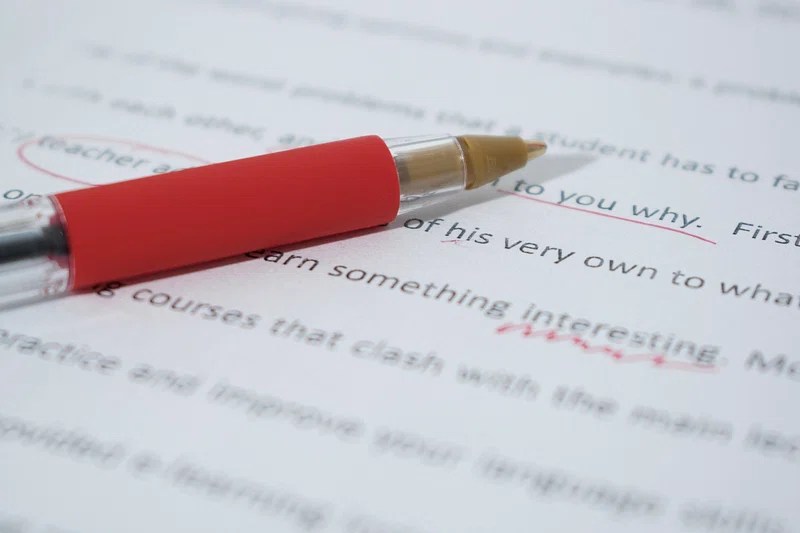
Typos. Missing words. A dangling modifier just waiting to sabotage your credibility. If writing is the artwork, proofreading is the frame — the finishing touch that makes everything look polished, deliberate, and professional.
No matter if you’re blogging, freelancing, studying, or writing for work, proofreading isn’t optional. It’s what turns a rough draft into something people actually want to read. And no, grammar checkers won’t cover your back completely.
Let’s unpack how to proofread like an editor — with tools, symbols, and go-to techniques the pros rely on.
🧠 Why Proofreading Matters (Even If You’re Not a Writer)
Think of proofreading like quality control. One careless typo in a resume or email pitch can cost you more than you think. On a blog, it might mean the difference between building trust and losing a reader forever.
In professional writing, clean copy signals respect. It tells your audience you value their time and attention. Whether you’re pitching your services, teaching your audience, or applying for work, proofreading ensures your message lands clearly — and confidently.
Even bestselling authors don’t skip this step. Why? Because spotting your own mistakes is nearly impossible. That’s why mastering proofreading — or hiring someone who has — is a smart investment in your writing game.
🛠️ How to Proofread: A Quick, Reliable Process
Proofreading isn’t just skimming a page and hoping for the best. It’s a layered approach that gets results. Here’s how to do it right:
Step 1: Step Away from the Screen
When your draft is done, pause. Even a short break helps. You’ll catch more with fresh eyes.
Step 2: Read It Out Loud
Yes, really. Your ears are better at catching awkward phrasing or missing words than your eyes are.
Pro Tip: Use tools like Natural Readers or your laptop’s built-in text-to-speech to make this easier.
Step 3: Print It (Yes, Old School)
Seeing your writing on paper offers a new perspective. Mark it up with a pen — it slows you down in a good way.
Step 4: Do Multiple Passes
Trying to catch everything at once never works. Break it down:
- Pass 1: Spelling and typos
- Pass 2: Grammar and punctuation
- Pass 3: Sentence flow and readability
- Pass 4: Formatting and consistency
- Optional: Tone and clarity check
Step 5: Use Ctrl+F Like a Hawk
Hunt down habitual errors:
- Repeat offenders like “just,” “really,” or “that”
- Extra spaces
- Homophones (their/there/they’re)
- Punctuation quirks like “..” instead of “.”
✏️ Classic Proofreading Symbols (Still Worth Knowing)
Editing on paper? These tried-and-true symbols are still useful — especially if you’re collaborating with others:
| Symbol | Meaning |
|---|---|
| ˄ or ^ | Add text |
| ~ | Switch word order |
| [ ] | Group or delete text |
| / or lc | Change to lowercase |
| caps / UC | Change to uppercase |
| # or sp | Add a space |
| ∅ or del | Delete |
| ¶ | New paragraph |
| no ¶ | No paragraph break |
Digital Alternative: Use “Suggesting” mode in Google Docs or “Track Changes” in Word to simulate these edits.
🧩 Common Mistakes to Watch For
Even experienced writers miss these:
- Homophones like your/you’re or it’s/its
- Missing small words: “a,” “the,” “to”
- Run-on sentences or comma splices
- Repetitive word use in close proximity
- Inconsistent formatting — bold, italics, font sizes
⚙️ Tools That Help (But Don’t Replace You)
Proofing apps can help — but they’re not magic wands. They miss nuance. Use them, but trust your judgment.
Top proofreading tools:
- Grammarly: Grammar, tone, and clarity feedback
- Hemingway Editor: Highlights dense writing and passive voice
- ProWritingAid: Deep dives into style and sentence structure
- PerfectIt: Great for long-form or academic writing
- Google Docs/Word: Use comments and suggesting mode for collaborative edits
Just don’t let them “fix” things that weren’t broken.
👀 Why a Second Pair of Eyes Is a Lifesaver
Can’t hire an editor? Ask a friend or colleague to read your draft. If no one’s available, try reading your piece backward, sentence by sentence. It sounds odd, but it’s a proven trick to bypass your brain’s autopilot.
🧑💼 Why Every Pro Proofreads
Want to land freelance gigs? Pitch a client? Get an editor to actually read past the first paragraph?
Your copy needs to be sharp.
Proofreading isn’t just about perfectionism. It’s about:
- Credibility – Typos make you look careless
- Clarity – Mistakes muddle your message
- Respect – Clean copy honors your audience’s time
- Confidence – Knowing your piece is solid helps you hit “publish” without fear
🧳 Final Thought: Proofreading Is Your Superpower
Writers love talking about voice, confidence, and creativity. But proofreading? That’s the unsung hero of clean communication.
It’s not glamorous, but it is powerful. It’s the final layer that turns scattered ideas into something clear, confident, and professional. It shows your readers (or clients, or editors) that your message matters.
So celebrate that first draft — but remember: the real magic happens in the final read.
 Sally the Scribe
Leave a comment